
Read this article with AI
Copy the article text into your chosen tool to inspect its sources and trade-offs.
Separate an observation from an identifier
A collector reads fields during a visit. A service may then assign an ID, check whether the fields fit together or compare them with a past visit. These are separate steps. Ask which step produced the value you receive.
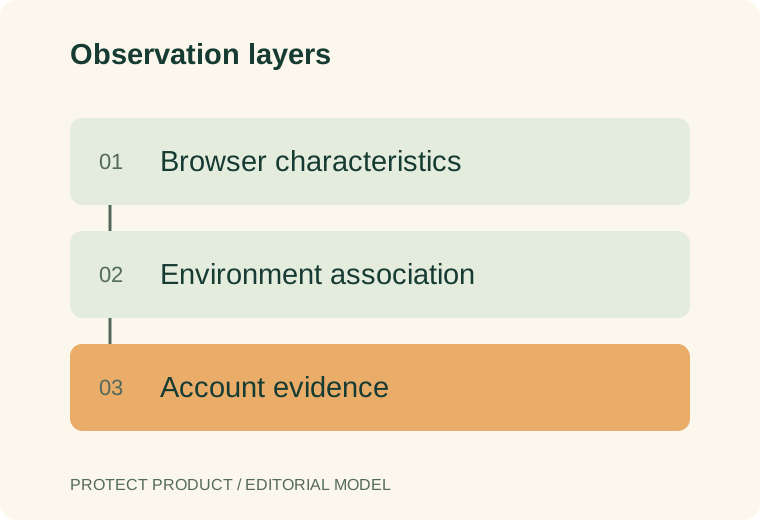
Does the ID refer to an event, a browser profile or an estimate of a device? Was the field read directly, or did a model infer it? To link accounts, a service also needs to join the browser evidence to account events. Reading a browser field alone does not make that link.
For vendor selection, compare the current scopes in our Fingerprint review and ShieldLabs review. This article explains the underlying technique categories.
Understand the main observation families
| Observation family | What is examined | Important limitation |
|---|---|---|
| Browser and platform features | Reported support and environment characteristics | Similar clients can expose similar values |
| Canvas or graphics output | Results of a controlled rendering operation | Browser protections and implementations can change output |
| Audio processing | Results from a controlled audio graph | It is not inherently a recording or a unique person identifier |
| Storage and session context | Available first-party state and associations | State can be absent, partitioned or cleared |
| Connection context | Properties observed around a network request | Several legitimate clients can share characteristics |
W3C’s fingerprinting guidance discusses exposed browser data and ways to reduce its privacy impact. Check what the supported browser actually exposes. A vendor should not assume it can read the same fields from every browser and setting.
Treat canvas and audio as measurements
A collector can draw known content and compare the output with earlier results. MDN documents getImageData as a way to read canvas pixel data. A changed result could come from an update, privacy setting or collection error. It does not by itself prove abuse.
Offline audio processing, microphone capture and song matching are different operations. Use the same care with canvas data: explain what was drawn and read. Do not call the result a fixed hardware serial number.
In a hypothetical test, keep the drawing or audio input fixed and record the software version. Repeat the test on the same setup, then change one supported setting. Find out why the result changed. Report those conditions instead of claiming the ID always persists.
Join evidence to the protected server action
An ID shown in a browser does not grant access to an account. The server needs a trusted way to join the collected event to the action it is checking. Ask how it verifies the result, how old a result may be and what happens when client data is missing.
Keep the event ID separate from the signed-in user ID. Several people may share a computer, while one customer may use a phone and laptop. The service can link events to an account without claiming the browser proves a legal identity.
Our guide to signals versus decisions explains that server-side decision boundary. Compare network context separately with the VPN and proxy detection guide. To inspect a live browser demonstration, open the checker directory.
Evaluate change, collision and missingness separately
Three failures need separate counts. An ID may change on a returning setup. Different setups may share an ID, often called a collision. A visit may return no usable result. Combining them into one accuracy figure hides which part of the system needs work.
Include supported browsers, normal updates, privacy settings and legitimate shared devices in the test plan. Document the business decision made from each state. A missing observation should not quietly receive the same meaning as a successful low-risk assessment.
If a vendor claims cookie independence, ask exactly which identifier, platform and observation window the claim concerns. Cookie independence does not by itself establish guaranteed recognition across all browsers or physical devices.
Review collection and customer expectations
Inventory the actual fields collected, purposes, retention and access. Keep the implementation aligned with the business’s reviewed privacy practices. Technical availability is not a complete decision about whether data should be collected or used for a particular purpose.
Keep the terms clear in the purchase brief and support notes. Recognizing a browser, checking an account credential and proving a person’s identity answer different questions. The synthetic identity fraud guide explains the identity-proofing boundary. A team that knows which answer it bought can judge where another control is still needed.
FAQ
Is a browser fingerprint a hardware serial number?
No. It is produced from observations of an environment and an implementation’s processing of them.
Can browser fingerprinting work without cookies?
Some techniques do not rely solely on stored cookies. Actual persistence and coverage still depend on the implementation, platform and environment.
Does a changed fingerprint mean an anti-detect browser is present?
No. Ordinary updates, settings and collection differences can change observations. Evaluate consistency and account context before applying a restrictive policy.
Sources
Editorial basis: primary-source documentation and a practical evaluation framework. Examples are hypothetical unless explicitly identified otherwise. This article does not report an independent vendor benchmark.
For evaluation standards and corrections, see our methodology and contact page.